Choosing business software for new entrepreneurs can feel overwhelming, because every app promises to save time. The truth is simpler. You need a few tools that cover your website and email, your money, your customers and your daily tasks. Everything else can wait.
This guide walks through those four areas, names widely used options and shows a setup order that keeps costs low. Plans change often, so I checked vendor pages and recent reviews in November 2026. Always confirm current features and prices before you pay.
Disclosure: this article contains affiliate links, including links to Fiverr and Hostinger. If you buy through them, I may earn a commission at no extra cost to you. Read my affiliate disclosure for details.
Four Areas Every New Business Needs
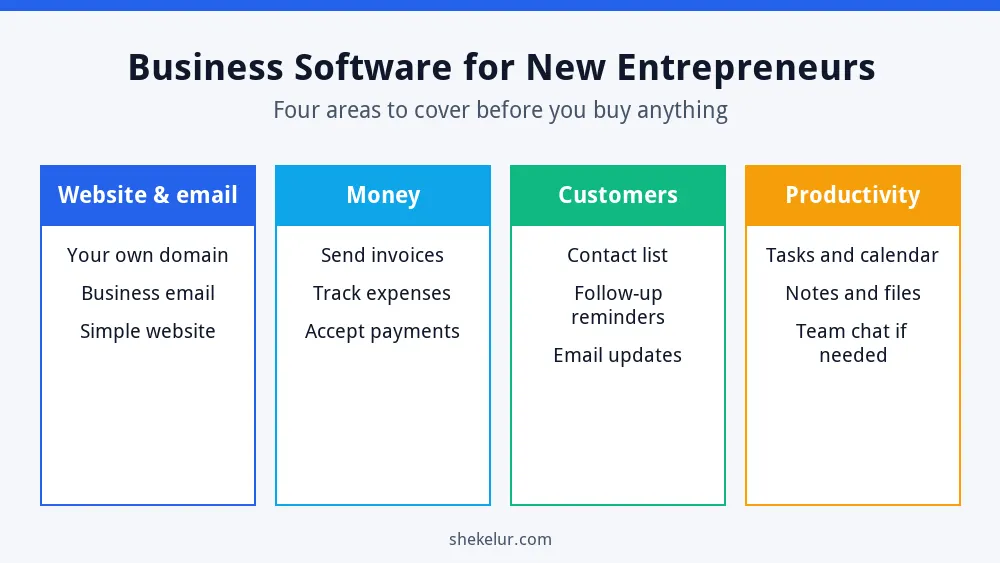
- Website and email: a home for your business and a professional address.
- Money: invoices, expenses and payments.
- Customers: a simple list of leads and clients, with follow-up reminders.
- Productivity: tasks, calendar and notes.
1. Your Website and Business Email
Customers judge you quickly. A simple website and an email address on your own domain, such as hello@yourbusiness.com, look far more trustworthy than a free inbox. You can build the site on WordPress or a site builder, and you will need web hosting for your business website to keep it online. For the email address, a business email plan keeps your messages on your own domain. Compare plan features, the billing term and the renewal price before you buy.
Start with your online home
A website and business email are the first things new customers see. Hostinger offers web hosting and business email plans, so you can compare options for your budget. Check the included features and the renewal price first.
See Hostinger web hosting plansAffiliate link. It opens your cart with a plan preselected, so you can change the plan, billing term and add-ons before you pay. Check the renewal price too.
When your site is live, learn the basics of search with my SEO guide for beginners and how to build an SEO strategy from scratch.
2. Invoicing and Accounting
Wave is a popular starting point for freelancers and very small businesses, because it has offered a free plan for invoicing and bookkeeping. However, Wave has changed its plans and fees more than once, and payment processing carries per-transaction fees, so check which features are free today. If your business grows, you may move to a paid accounting service or hire a bookkeeper.
Whatever you choose, keep business and personal money separate, save every receipt and set a reminder to review your numbers each month. Ask a qualified accountant about taxes in your country.
3. Customer Management
A customer relationship management tool, or CRM, keeps your leads and clients in one place. The HubSpot CRM has a free plan with limits on users and some features, which suits a solo founder or small team. Before you commit, check the current limits and think about whether a spreadsheet would be enough at the start.
4. Email Marketing
Email lets you stay in touch with people who already care about your business. If your site runs on WordPress, you can try a beginner-friendly tool such as Hostinger Reach and compare it with other platforms. For the full process, read my guides on how to start email marketing and how to build an email list, and follow the rules for consent and unsubscribe links.
5. Design and Branding
Canva makes it easy to create logos, social posts and simple documents. The free plan covers the basics, though some AI and premium features are limited. For other options, see my guide to graphic design software for beginners.
6. Tasks, Calendar and Notes
Keep this simple. One task list and one calendar are usually enough. For ideas, read my list of the best productivity apps and my guide to choosing productivity apps for daily life.
Quick Comparison
| Area | Example tool | Watch out for |
|---|---|---|
| Website and email | Web hosting and business email plans | Renewal prices and add-ons in the cart |
| Invoicing | Wave | Plan and fee changes; payment processing fees |
| Customers | HubSpot CRM | Free plan limits on users and features |
| Email marketing | Hostinger Reach or similar | List limits and consent rules |
| Design | Canva | Limits on free AI and premium features |
A Simple Setup Order
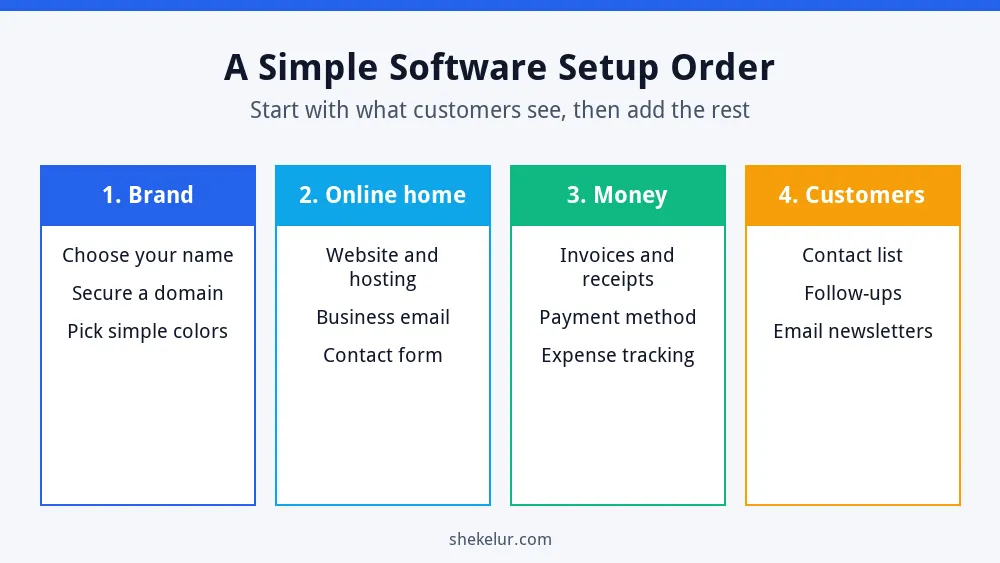
- Brand: choose your name, secure a domain and pick simple colors.
- Online home: set up your website, hosting and business email.
- Money: start invoices, receipts and expense tracking.
- Customers: create a contact list and follow-up routine.
Security Basics
- Use a password manager and strong, unique passwords.
- Turn on two-factor authentication for email, banking and hosting.
- Keep regular backups of your website and important files.
- Limit who can access financial and customer data.
Common Mistakes
- Paying for many tools before you have customers.
- Ignoring renewal prices when you sign up.
- Mixing personal and business money.
- Using a free email address on your invoices.
- Skipping backups and two-factor authentication.
Final Thoughts on Business Software for New Entrepreneurs
The best business software for new entrepreneurs is the smallest set of tools that lets you look professional, get paid and follow up with customers. Start with your online home, add invoicing, then a simple customer list. Review your tools every few months and cancel anything you do not use.
Your Next Step: Set Up Your Online Home
Pick your business name and check that the domain is available. If you would like help with a logo, a simple website or bookkeeping set-up, you can compare independent freelancers on Fiverr. Read reviews, check examples of past work and agree the scope before you order.
Frequently Asked Questions
What Software Does a New Business Need First?
Start with a website and professional email, then add invoicing and a simple customer list.
Is Free Business Software Good Enough?
Often yes at the start. Free plans have limits, so check them and plan for upgrades as you grow.
Do I Need a CRM From Day One?
Not always. A spreadsheet can work for a handful of customers, but a CRM helps once follow-ups get hard to track.
How Much Should I Spend on Software?
Keep it as low as you can until you have steady income. Add tools only when they solve a real problem.
Should I Choose Annual or Monthly Billing?
Annual plans often cost less per month, but they commit you for longer. Check the renewal price and cancellation terms first.
