
The best AI video generators for faceless YouTube channels help you turn a script into a finished video without appearing on camera. However, no tool can make a channel succeed on its own. YouTube rewards original, useful videos, and it can limit monetization for mass-produced content. This guide shows which types of tools exist, how to choose and how to stay on the right side of the rules.
Pricing and free plans change quickly, so I checked vendor pages and recent reviews in November 2026 and kept the numbers general. Read each tool’s current terms before you pay or publish.
Disclosure: this article contains affiliate links, including links to Fiverr and ElevenLabs. If you buy through them, I may earn a commission at no extra cost to you. Read my affiliate disclosure for details.
Four Types of AI Video Tools
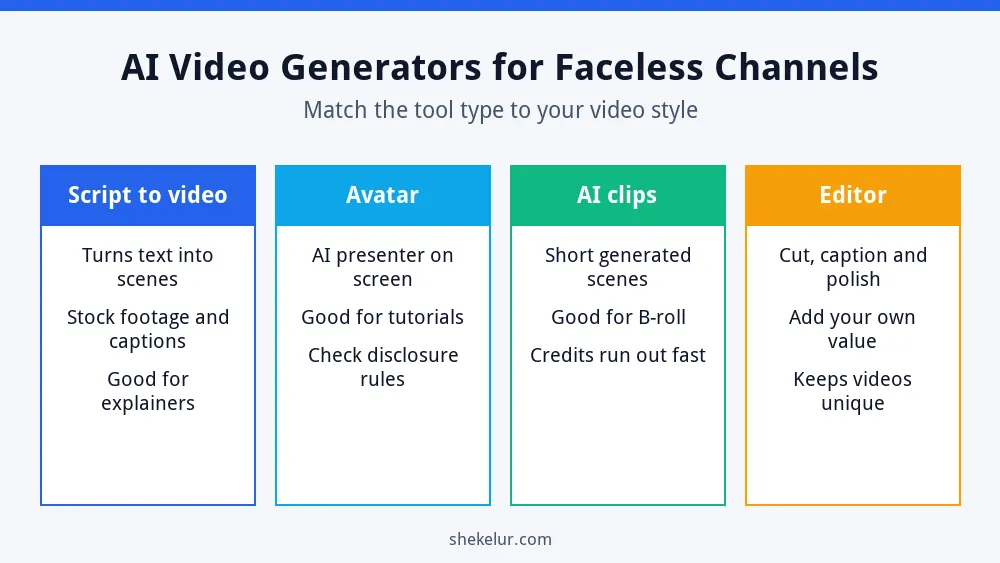
These tools do different jobs, so comparing them directly can mislead you. Pick the type that fits your video style first.
Script-to-Video Tools
Pictory and InVideo turn a script or prompt into scenes with stock footage, captions and a voiceover. They suit explainers, listicles and tutorials. Free plans and trials usually come with limits, such as a small number of videos or a watermark.
Avatar Tools
HeyGen and Synthesia create an AI presenter who speaks your script. They work for training and product videos. Because a realistic presenter can look like a real person, read YouTube’s disclosure rules carefully.
Generative Clip Tools
Runway and Kling generate short video scenes from prompts, which is useful for unique B-roll. Credits run out quickly, and free plans often limit resolution, add a watermark or restrict commercial use.
Video Editors With AI Features
CapCut combines editing with AI captions and templates. An editor lets you add your own voice, structure and style, which helps your videos stand out from template-only channels.
| Type | Examples | Good for | Watch out for |
|---|---|---|---|
| Script to video | Pictory, InVideo | Explainers and listicles | Free limits; similar-looking videos |
| Avatar | HeyGen, Synthesia | Tutorials and training | Disclosure and realism concerns |
| Generative clips | Runway, Kling | Unique B-roll | Credits and watermark limits |
| Editor | CapCut | Polish and control | More manual work |
Are Free Plans Enough?
Treat free plans as trials. Across the major tools, free access is limited by minutes, credits, resolution, watermarks or commercial-use rules, and some allowances are one-time only. Before you build a channel on a free plan, check whether it allows downloads without a watermark and whether it permits monetized videos.
YouTube Rules for Faceless and AI Channels
- Originality: YouTube’s monetization policy targets inauthentic content, including mass-produced or repetitive videos. Add your own research, script and editing.
- Disclosure: YouTube asks you to disclose realistic altered or synthetic content, such as a realistic AI person or a cloned voice.
- Copyright: use licensed footage, music and images only.
- Accuracy: check every fact and avoid misleading titles or thumbnails.
YouTube updates its policies, so read the current rules in its Help Center. My guide to free AI voice generators for YouTube explains voice licenses in more detail.
A Simple Faceless Video Workflow
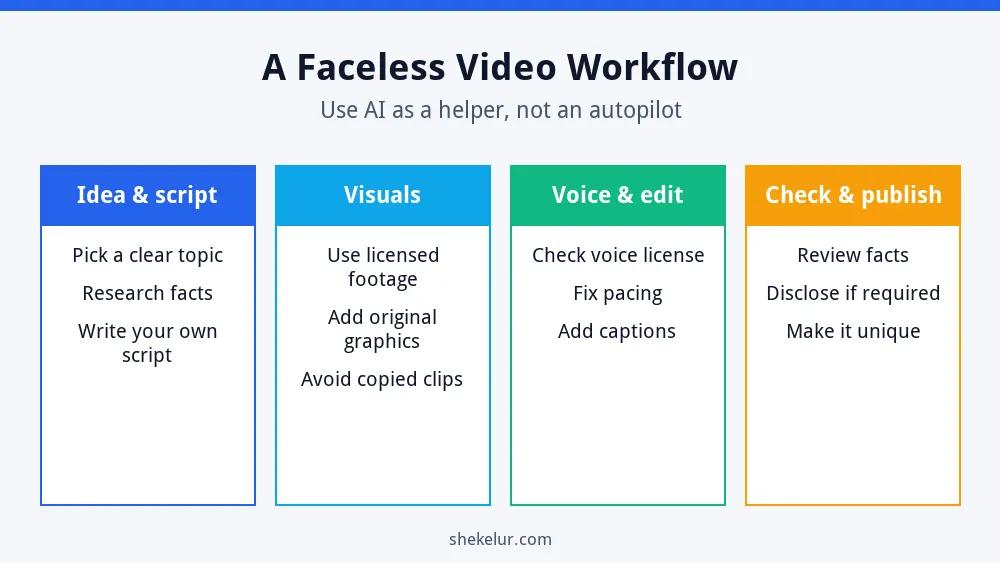
- Idea and script: pick a clear topic, research it and write your own script. My ChatGPT guide for beginners can help you with outlines.
- Visuals: combine licensed footage with original graphics. See my guide to AI image generators for beginners for image ideas.
- Voice and edit: check the voice license, fix pacing and add captions. A tool such as ElevenLabs can generate narration, but confirm that your plan includes a commercial license before you monetize a video.
- Check and publish: review facts, add disclosure if required and make the video unique.
How to Choose Your Tool
- Start with your video style, such as explainer, tutorial or story.
- Test two tools with the same short script.
- Check the watermark, export and commercial-use rules.
- Compare the cost per finished minute, not just the monthly price.
- Keep a human editing pass in your workflow.
Common Mistakes
- Publishing raw template videos that all look the same.
- Using free-plan output that is not licensed for monetized videos.
- Skipping fact-checking on AI scripts.
- Using music or footage that you do not have the rights to.
- Posting too many low-effort videos instead of fewer good ones.
Final Thoughts on AI Video Generators for Faceless YouTube Channels
The right AI video generators for faceless YouTube channels save you time, but your ideas, research and editing make the channel worth watching. Choose a tool type that fits your style, read the license, follow YouTube’s rules and improve your videos with every upload.
Your Next Step: Make One Test Video
Write a short script, make one video in two tools and compare the result and the license. If you want help with editing, thumbnails or a voiceover, you can compare independent freelancers on Fiverr. Check their reviews and samples, and confirm the usage rights.
Frequently Asked Questions
Can I Monetize a Faceless YouTube Channel?
Yes, if your videos are original and follow YouTube’s policies. Mass-produced or repetitive content can lose monetization.
Do I Have to Disclose AI in My Videos?
You need to disclose realistic altered or synthetic content under YouTube’s rules. Check the current guidance for your case.
What Is the Best Free AI Video Generator?
There is no single best free option. Free plans are limited by credits, watermarks or licenses, so test a few and read the terms.
Do I Need My Own Voice?
No. You can use a licensed AI voice or hire a voice actor, but make sure the license allows monetized videos.
How Many Videos Should I Post?
Post at a pace that lets you keep quality high. A few strong videos beat many weak ones.
