The right AI writing tools for freelancers can help you research faster, outline with less effort and edit with more confidence. They cannot replace your skill, your judgment or your client relationships. This guide shows which type of tool fits each stage of a writing job and how to use AI without putting client trust at risk.
Free plans and limits change often, so I kept details general and checked recent vendor pages and reviews in November 2026. Read the current terms before you rely on any tool.
Disclosure: this article contains an affiliate link to Fiverr. If you buy through it, I may earn a commission at no extra cost to you. Read my affiliate disclosure for details.
Where AI Helps a Freelance Writer
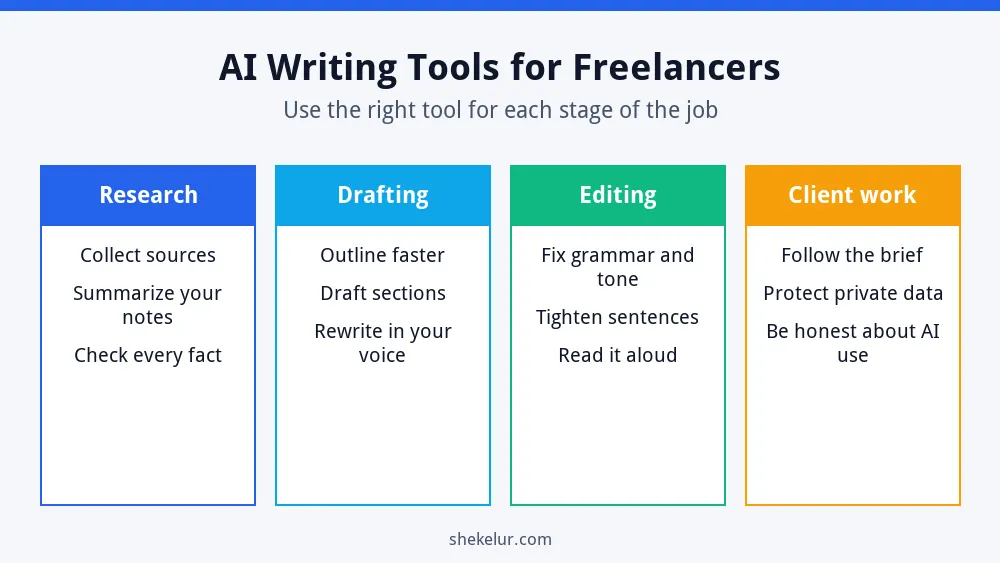
- Research: collect sources, summarize your notes and find angles.
- Drafting: build outlines and rough sections that you then rewrite.
- Editing: catch grammar, tone and clarity problems.
- Client work: organize briefs, emails and deadlines.
Tool Types and Examples
General AI Assistants
Chat assistants such as ChatGPT, Claude and Gemini can outline, rewrite and explain. All of them have free plans with usage limits, and the details change often. Test the same task in two of them and keep the one that suits your style. For prompts, see my ChatGPT guide for beginners and my comparison of Claude vs ChatGPT for content writing.
Research Assistants
Tools such as Perplexity answer questions with sources attached. That makes it easier to check where a claim comes from. Still, open the sources and verify the information yourself before you use it.
Editing Tools
Grammarly checks spelling, grammar and tone. Its free plan covers the basics and includes a limited number of AI prompts, while paid plans add more. Use it to polish your own writing rather than to generate it.
| Stage | Tool type | Watch out for |
|---|---|---|
| Research | AI assistants with sources | Always open and verify the sources |
| Drafting | General AI assistants | Generic wording; invented details |
| Editing | Grammar and style checkers | Over-correcting your voice |
| Client work | Notes, task and email tools | Sharing confidential data |
A Client-Safe AI Writing Workflow
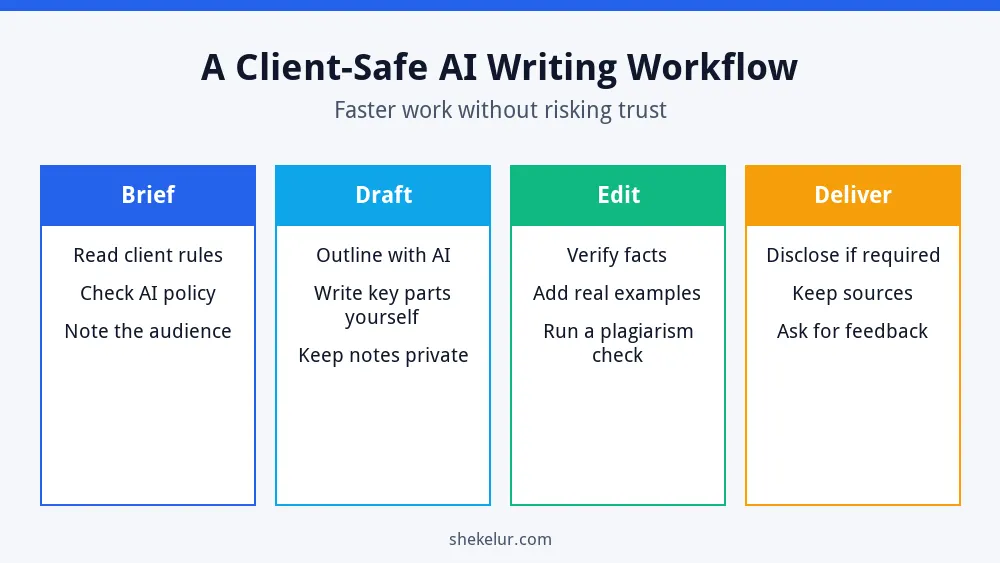
- Brief: read the client’s instructions and any AI policy.
- Draft: use AI for outlines and ideas, and write the key parts yourself.
- Edit: verify facts, add real examples and run a plagiarism check.
- Deliver: disclose AI use if the client requires it and keep your sources.
Protect Your Clients and Your Reputation
- Check your contract and the client’s policy before you use AI on their project.
- Do not paste confidential documents or private data into a tool without permission.
- Verify every fact, statistic and quote.
- Keep your own voice and add original examples.
- Be honest about how you use AI when a client asks.
If your client publishes the content online, Google’s guidance on using generative AI content says quality and usefulness matter most. For more on this topic, read my article on whether AI writing tools can rank on Google and my ChatGPT for freelancers guide.
How to Choose Your Tools
- Start with one assistant and one editing tool.
- Test them on a real, low-risk task.
- Compare free-plan limits and privacy settings.
- Pay only when a tool clearly saves you time.
- Review your tool list every few months.
Common Mistakes
- Delivering raw AI text to a client.
- Trusting facts without checking them.
- Sharing confidential material with a tool.
- Using five tools when two would do.
- Hiding AI use when the client asked for disclosure.
Final Thoughts on AI Writing Tools for Freelancers
The best AI writing tools for freelancers speed up the routine parts of a job so you can spend more time on quality. Choose a few tools, protect client data, verify every fact and keep your own voice. That is how you stay both fast and trusted.
Your Next Step: Test One Workflow
Pick a small project and run it through the workflow above. If you need help with proofreading, graphics or a website for your portfolio, you can compare independent freelancers on Fiverr. Read their reviews, check samples and agree the scope before you order.
Frequently Asked Questions
Can Freelance Writers Use AI Tools?
Yes, in many cases, but check each client’s rules and contracts first, and be honest if a client asks.
Which AI Writing Tool Is Best for Freelancers?
It depends on your work. Try a general assistant for drafting, a research tool with sources and an editing tool, then keep what saves you time.
Will AI Replace Freelance Writers?
AI changes how some tasks are done, but clients still value judgment, original experience, accuracy and trust.
Is It Safe to Put Client Documents Into AI Tools?
Only with the client’s permission and after you review the tool’s privacy terms. When in doubt, do not upload it.
Do I Need to Disclose That I Used AI?
Follow your client’s requirements and any platform rules. When the client asks, answer honestly.