The right link building tools for beginners can save you hours of guesswork. They show you who links to your site, who links to your competitors and which sites might be worth contacting. However, no tool can earn links for you. This guide explains what each type of tool does, which free options to try first and how to build links safely.
First, you will learn what link building is. Next, you will compare a few trusted tools. Finally, you will follow a simple monthly workflow.
Disclosure: this article contains an affiliate link. If you buy through it, I may earn a commission at no extra cost to you. Read my affiliate disclosure for details.
What Is Link Building?
A backlink is a link from another website to yours. Link building is the work of earning those links. Search engines use links to discover pages, and they can treat links from relevant, trusted sites as a signal of quality. That is why links remain a core part of SEO. For the big picture, read my SEO guide for beginners.
Quality matters more than quantity. One link from a respected, relevant website is worth more than dozens from low-quality pages. Google also warns against links created to manipulate rankings, which its spam policies describe as link spam.
What Link Building Tools Can (and Cannot) Do
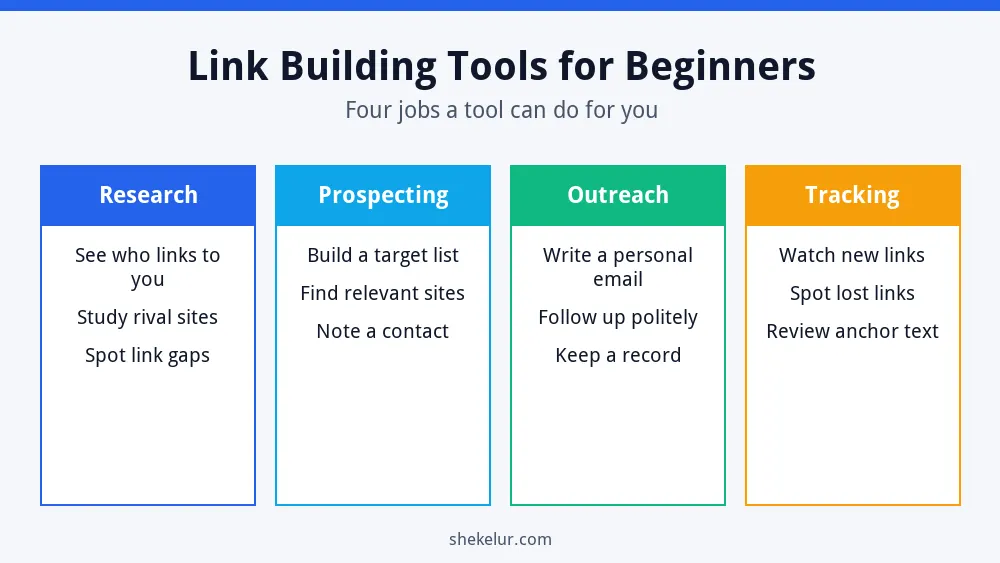
Most tools help with one of four jobs: research, prospecting, outreach or tracking. They give you data. You still need a page worth linking to and a real human message. In other words, a tool speeds up the process, but it does not replace good content.
Free Link Building Tools to Start With
You can learn a lot without paying. Free tiers have limits, and those limits change, so always check the official page before you plan around them.
Google Search Console
Search Console is the best first stop for your own site. Its Links report shows your top linked pages, the top sites that link to you and the anchor text they use. You can also see internal links and export the data. Because it comes straight from Google, it is the most relevant free view of your links. Set it up at Google Search Console.
Ahrefs Free and the Free Backlink Checker
Ahrefs offers Ahrefs Free (formerly Webmaster Tools) for websites you verify. At the time of writing, its Site Explorer shows up to 1,000 backlinks at once, and it also includes a site audit and basic analytics. Separately, the public Ahrefs backlink checker shows a limited number of top backlinks for other sites, which is useful for quick competitor checks.
Moz Link Explorer
Moz offers limited free access to Link Explorer with a free account. It is helpful for a quick look at a domain’s links and metrics such as Domain Authority. Remember that third-party scores are estimates, not Google ratings.
Semrush Backlink Analytics
Semrush lets you try Backlink Analytics with a limited free account. It is useful for comparing your link profile with a competitor, but the free allowance is small.
A Simple Spreadsheet
Do not underestimate a free spreadsheet. List each site, the page you want to be linked from, the contact, the date you wrote and the result. This simple record prevents duplicate emails and shows what works.
| Tool | Best for | Free access |
|---|---|---|
| Google Search Console | Seeing links to your own site | Free for verified sites |
| Ahrefs Free | Backlinks and audit for your verified site | Free, with limits |
| Ahrefs backlink checker | Quick checks on other sites | Free, limited results |
| Moz Link Explorer | Quick domain overview | Free account, limited queries |
| Semrush Backlink Analytics | Comparing with competitors | Free account, limited requests |
| Spreadsheet | Tracking outreach | Free |
What to Look for in a Beginner Tool
- Clear data: referring domains, new and lost links and anchor text.
- A usable free plan: you should be able to test it before you pay.
- Easy exports: CSV files make tracking simple.
- Honest metrics: treat any authority score as a guide, never a goal.
- Support and learning resources: good guides help beginners improve.
A Simple Link Building Workflow
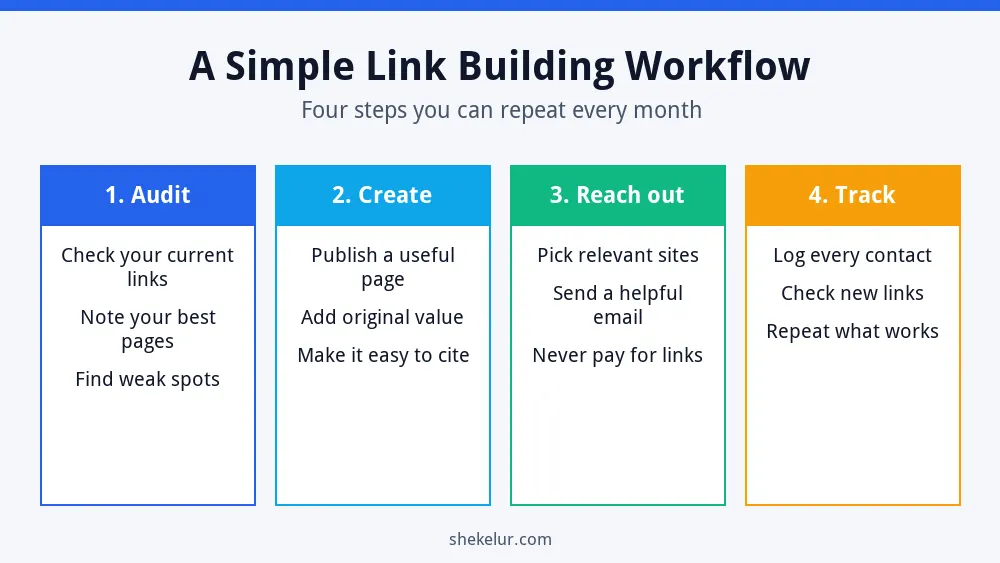
- Audit: open Search Console and note which pages already earn links.
- Create: publish a page that deserves a link, such as a checklist, a guide or original examples.
- Reach out: contact a small number of relevant sites with a short, personal and helpful message.
- Track: record every email, then check new links each month and repeat what works.
For the larger plan behind this, see my guide on how to build an SEO strategy from scratch.
Safe Link Building Tactics for Beginners
- Create useful resources that others want to cite.
- Write genuine guest posts for relevant sites, with natural anchor text.
- Share your expertise in interviews, podcasts and expert roundups.
- Fix broken or unlinked mentions of your brand by asking politely.
- List your business in trusted, relevant directories.
Paid links need special care. Google asks site owners to mark sponsored or paid links with the proper attributes, as explained in its guide to qualifying outbound links. Also avoid private blog networks and mass link swaps. If you wonder about shortcuts, read whether parasite SEO is safe for the long term.
Common Mistakes to Avoid
- Buying links or following promises of guaranteed rankings.
- Sending the same template email to hundreds of sites.
- Chasing only high authority scores and ignoring relevance.
- Using exact-match anchor text every time.
- Skipping tracking, so you cannot learn.
- Expecting results within days.
Do You Need to Pay for Link Building Tools?
Not at first. Search Console, a free Ahrefs account and a spreadsheet cover most beginner needs. Consider a paid plan only when you manage several sites, need competitor data every week or run outreach at scale. Even then, start with a trial or monthly plan so you can cancel if it does not help.
Final Thoughts on Link Building Tools for Beginners
The best link building tools for beginners are the ones you actually use. Start with Search Console, add one backlink checker and keep a simple tracking sheet. Then focus on creating pages worth linking to, because links follow value.
Your Next Step: Plan Your First Outreach
Open Search Console, find your most linked page and write down five relevant sites you could contact. If you prefer to hand off writing, research or design, you can compare independent freelancers on Fiverr for linkable content such as guides and infographics. Check reviews and samples first, and avoid anyone who sells bulk backlinks.
Frequently Asked Questions
What Is the Best Free Link Building Tool for Beginners?
Google Search Console is the best start for your own site because it is free and uses Google’s data. Add a free backlink checker for competitor research.
Are Link Building Tools Safe to Use?
Research tools are safe. The risk comes from tactics, such as buying links or using automated spam outreach, that break search engine guidelines.
How Many Backlinks Do I Need?
There is no fixed number. Look at the sites that rank for your target keyword and aim to earn links from relevant sources over time.
How Long Does Link Building Take?
It usually takes months. Some links come quickly, but trust and rankings build gradually.
Do Nofollow Links Have Any Value?
Yes. They can still send visitors, build your brand and make your link profile look natural, even if they pass less ranking signal.