The best AI writing tools for YouTube creators help you plan videos, draft scripts and write titles and descriptions faster. They work best as assistants, not as replacements. Viewers come for your ideas and personality, and YouTube rewards original, useful videos over mass-produced ones. This guide shows where AI helps, which tool types to try and a script workflow that keeps your voice.
Free plans and features change often, so I kept details general and checked recent sources in November 2026. Confirm current limits and terms before you rely on any tool.
Disclosure: this article contains an affiliate link to Fiverr. If you buy through it, I may earn a commission at no extra cost to you. Read my affiliate disclosure for details.
Where AI Writing Tools Help YouTubers
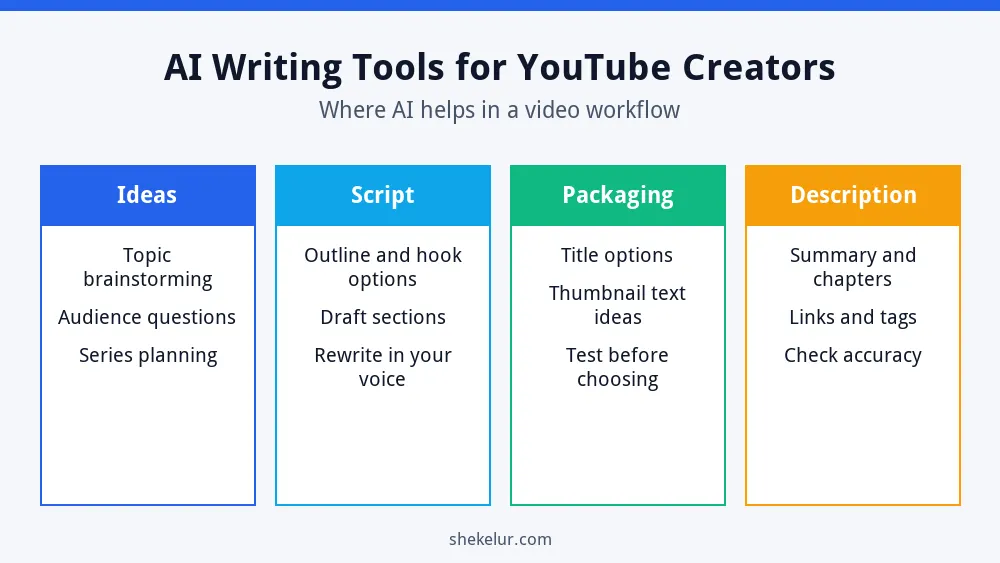
- Ideas: brainstorm topics, audience questions and series plans.
- Script: create outline options and rough drafts you then rewrite.
- Packaging: generate title and thumbnail text options to test.
- Descriptions: draft summaries, chapters and link lists.
Types of Tools to Try
General AI Assistants
Chat assistants such as ChatGPT, Claude and Gemini can brainstorm, outline and rewrite. Each has a free plan with usage limits that change over time. Test the same prompt in two of them and keep the one that fits your voice. My ChatGPT guide for beginners explains how to write clear prompts, and my article on Claude vs ChatGPT for content writing compares two popular assistants.
Research Helpers
Use a search-based assistant or plain Google to check facts, then open the sources yourself. For topic demand, Google Trends shows how interest changes over time, and YouTube’s own search suggestions show what viewers type.
Editing Tools
A grammar and style checker can clean up your script and description. Reading your script aloud is just as important, because a good script sounds natural when spoken.
| Stage | Tool type | Watch out for |
|---|---|---|
| Ideas | AI assistants and Google Trends | Generic topics everyone else uses |
| Script | AI assistants | Robotic wording; invented facts |
| Titles and thumbnails | AI assistants plus YouTube testing | Misleading claims |
| Descriptions | AI assistants | Wrong links or timestamps |
A YouTube Script Workflow With AI
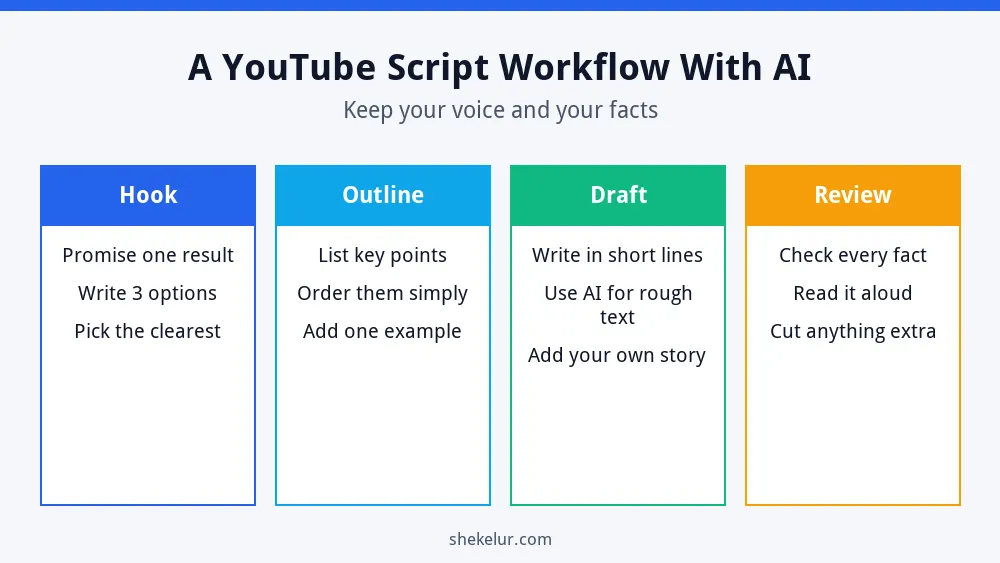
- Hook: ask for three opening options and pick the clearest promise.
- Outline: list the key points in a simple order and add one example.
- Draft: use AI for rough text, then rewrite it in short lines and add your own story.
- Review: check every fact, read it aloud and cut what you do not need.
If you add an AI voice, read my guide to free AI voice generators for YouTube to check the license and disclosure rules. For visuals, see my guides on AI tools for higher CTR thumbnails and AI video generators for faceless YouTube channels.
Writing Titles and Descriptions
- Put the main topic early in the title and keep it honest.
- Write the first lines of the description for people, since they appear first.
- Add chapters with accurate timestamps.
- Use a few relevant keywords naturally, not a long list.
- Link to related videos and your own website when it helps viewers.
Stay Within YouTube’s Rules
- Add original value. YouTube’s monetization rules target mass-produced and repetitive content.
- Do not copy scripts from other creators or websites.
- Check facts, especially numbers, quotes and claims about people.
- Disclose realistic AI-altered content when YouTube requires it.
- Read the current policies in the YouTube Help Center.
Common Mistakes
- Reading an AI draft aloud without rewriting it.
- Using the same template for every video.
- Trusting AI facts without checking.
- Writing clickbait titles that the video does not deliver.
- Ignoring audience comments and analytics.
Final Thoughts on AI Writing Tools for YouTube Creators
The best AI writing tools for YouTube creators save time on ideas, outlines and packaging. Your research, stories and honesty make the channel worth watching. Use AI for the first draft of the work, then add your voice and check the facts.
Your Next Step: Script One Video
Choose your next video topic and run it through the workflow above. If you want help with editing, thumbnails or a scriptwriter’s review, you can compare independent freelancers on Fiverr. Read reviews, check samples and agree the scope before you order.
Frequently Asked Questions
Can I Use AI to Write YouTube Scripts?
Yes, as a drafting aid. Rewrite the text in your own voice, check the facts and follow YouTube’s policies.
What Is the Best AI Tool for YouTube Titles?
A general AI assistant can suggest title options, but you should choose an honest one and test it with YouTube’s A/B testing if you have access.
Will YouTube Penalize AI-Written Scripts?
YouTube focuses on originality and viewer value, not only on how a script was written. Mass-produced, low-effort videos are the risk.
Do I Need to Disclose AI-Written Scripts?
YouTube’s disclosure rule is about realistic altered or synthetic content, such as a realistic AI person or voice. Check the current policy for your case.
How Long Should a YouTube Script Be?
It depends on your video length and style. Write for the ear, keep it focused and cut anything that does not help the viewer.