This ChatGPT guide for beginners shows you how to get started, write better prompts and use the tool safely. You do not need any technical skills. If you can type a question, you can use ChatGPT. The key is to ask clearly, check the answer and keep improving it.
First, you will learn what ChatGPT is and how to set it up. Next, you will use a simple prompt formula and try ten beginner tasks. Finally, you will learn the limits, so you can avoid common mistakes.
Disclosure: this article contains an affiliate link. If you buy through it, I may earn a commission at no extra cost to you. Read my affiliate disclosure for details.
What Is ChatGPT?
ChatGPT is an AI chatbot from OpenAI. You type a message, called a prompt, and it writes a reply. It can explain topics, draft text, brainstorm ideas, summarize content you paste in and help you plan. It does not think like a person. It predicts useful text from patterns, so it can sound confident even when it is wrong. That is why you must always review its answers.
How to Get Started With ChatGPT
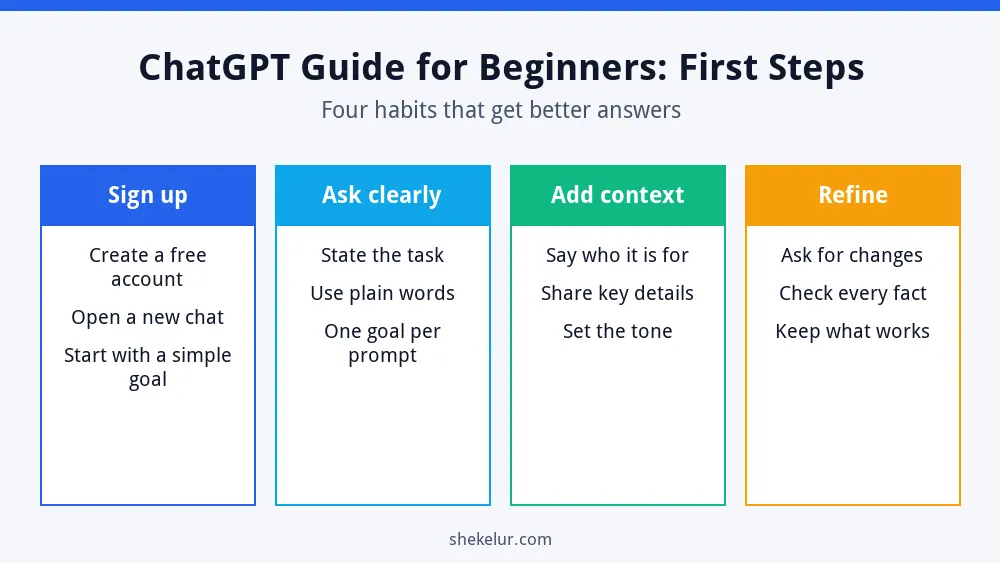
- Go to chatgpt.com or open the official mobile app.
- Create an account with your email or another sign-in option.
- Start a new chat and type a simple request.
- Read the answer, then ask a follow-up to improve it.
ChatGPT has a free plan and paid plans. Features, usage limits and prices change often, so check the current plan details on the official site before you decide to upgrade. For most beginners, the free plan is enough to learn the basics.
How to Write Good ChatGPT Prompts
A prompt is simply your instruction. Vague prompts give vague answers. OpenAI’s own prompt engineering guide recommends being clear and specific, and a simple formula makes that easy.
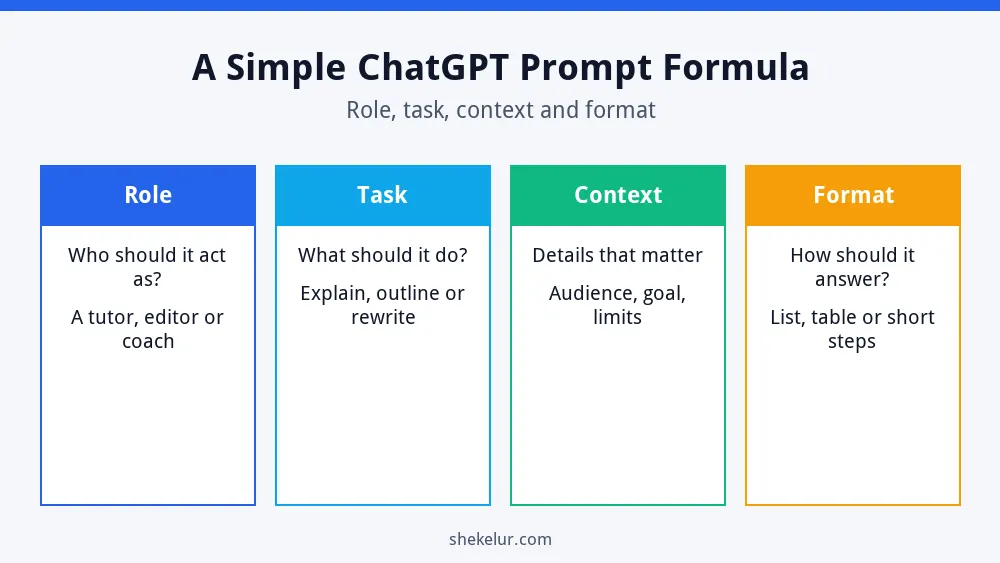
- Role: tell it who to act as, such as a tutor or an editor.
- Task: say exactly what you want it to do.
- Context: add details such as your audience, goal and limits.
- Format: choose the shape of the answer, such as a list, a table or short steps.
| Weak prompt | Better prompt |
|---|---|
| Write about healthy eating. | Act as a nutrition writer. Write a 150-word beginner introduction to healthy eating for busy office workers. Use a friendly tone. |
| Help me study. | Act as a tutor. Explain photosynthesis in simple words for a 14-year-old, then give me five practice questions. |
| Fix my email. | Edit this email to sound polite and professional. Keep it under 120 words and keep my main request clear. |
10 Beginner Tasks to Try
- Explain a hard topic in simple words.
- Create an outline for an article or presentation.
- Rewrite an email to sound clearer or more polite.
- Brainstorm names, ideas or topics.
- Summarize a text that you paste into the chat.
- Plan a weekly study or work schedule.
- Make practice quiz questions from your notes.
- Draft a short social media caption.
- Practice for a job interview.
- Explain a spreadsheet formula step by step.
How to Get Better Answers
- Ask follow-ups: say “make it shorter” or “use a simpler example.”
- Give examples: paste a sample of the style you want.
- Ask it to ask you questions: this fills gaps in your instructions.
- Request steps: ask it to explain its answer step by step.
- Set limits: state the word count, tone and audience.
Limits and Safety Tips
- It can be wrong. Check facts, numbers, quotes and links with trusted sources.
- Protect private data. Do not paste passwords, financial details or confidential client information.
- Review your settings. Look at the data controls in your account to understand how your chats are used.
- Do not rely on it for professional advice. For legal, medical or financial decisions, talk to a qualified expert.
- Follow the rules. Schools and employers may have policies on AI use, so read them first.
If you publish AI-assisted content online, read Google’s guidance on using generative AI content. In short, quality and usefulness matter more than how the text was created.
ChatGPT and Other AI Tools
ChatGPT is not the only option. If you are comparing assistants for writing, see my guide to Claude vs ChatGPT for content writing and my overview of the best AI writing tools. If you work for clients, read ChatGPT for freelancers. You can also learn whether AI writing tools can rank on Google.
Common Beginner Mistakes
- Writing prompts that are too short.
- Accepting the first answer without checking it.
- Pasting private information.
- Copying text without editing or adding your own experience.
- Expecting perfect results on the first try.
Final Thoughts on This ChatGPT Guide for Beginners
ChatGPT works best as a helpful assistant, not a replacement for your judgment. Use the role, task, context and format formula, review every answer and improve it with follow-up questions. Practice with one small task each day, and you will see your skills grow quickly.
Your Next Step: Try One Prompt Today
Pick one task from the list and write a prompt using the formula. If you would rather hand off a project, such as editing, design or setting up a workflow, you can compare independent freelancers on Fiverr. Read the reviews, check sample work and be clear about what you need.
Frequently Asked Questions
Is ChatGPT Free to Use?
There is a free plan with usage limits, and there are paid plans with more features. Plans change, so check the official site for the current details.
How Do I Write a Good Prompt?
State the role, the task, the context and the format you want. Then refine the answer with follow-up requests.
Can ChatGPT Be Wrong?
Yes. It can produce errors or invent details, so always verify important facts with reliable sources.
Is It Safe to Share Personal Information With ChatGPT?
Avoid sharing passwords, financial details and confidential data. Review the privacy and data control settings in your account.
Can I Use ChatGPT for Schoolwork?
Only if your school allows it. Use it to understand topics and practice, not to submit work that is not yours.