
The best AI automation tools for small businesses save you from repeating the same small jobs every day, such as saving form entries, sending a welcome email or updating a report. You do not need to code, and you do not need a big budget. You need one clear task, one tool and a careful test.
First, you will see what is worth automating. Next, you will compare three popular tools and learn how to build your first workflow. Finally, you will get safety rules so automation helps your business instead of creating new problems.
Disclosure: this article contains affiliate links, including links to Fiverr and Hostinger. If you buy through them, I may earn a commission at no extra cost to you. Read my affiliate disclosure for details.
Plans and limits change often, so I checked the vendors’ pages and recent reviews in November 2026. Always confirm the current details before you pay.
What Is Business Automation?
Automation connects your apps so that one event triggers one or more actions. For example, when a customer fills in a form, the tool can add a row to a spreadsheet and notify you. AI features can add a step, such as summarizing a message or drafting a reply. However, AI makes mistakes, so a human should review anything customers will see.
What to Automate First
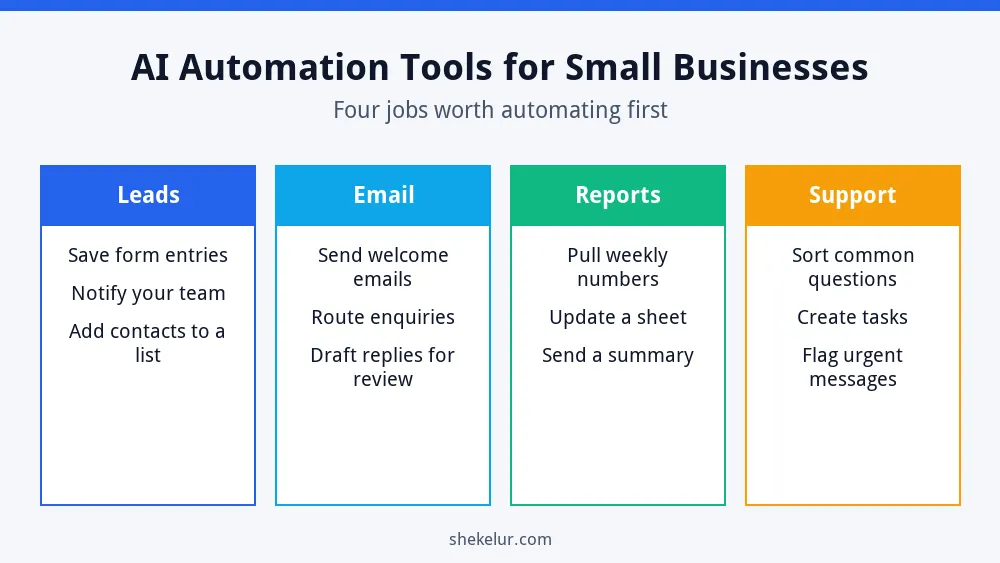
Choose tasks that are repetitive, rule-based and low risk. Good starting points are:
- Leads: save new form entries and alert your team.
- Email: send a welcome message to new subscribers. For ideas, see my guides to starting email marketing and building an email list.
- Reports: collect weekly numbers in one sheet.
- Support: sort common questions and create tasks for follow-up.
Three Popular AI Automation Tools Compared
These three tools are widely used. The limits below were checked in late 2026, but they can change.
Zapier
Zapier connects a very large number of apps and is easy to start with. Its free plan has been listed at 100 tasks per month and two-step Zaps, which means one trigger and one action. That is enough to test an idea, but multi-step workflows need a paid plan.
Make
Make uses a visual builder that suits more complex flows with branches. Its free plan has been listed at 1,000 credits per month with up to two active scenarios and a 15-minute minimum interval. Make renamed its billing unit from operations to credits, so older articles may use the old word.
n8n
n8n is a flexible workflow tool with a self-hosted Community Edition. It is free to download, but you provide and maintain the server. n8n’s license FAQ says the Community license allows you to use it for free to run your own business, with limits such as not hosting it as a service for clients. n8n Cloud is a separate paid product.
| Tool | Best for | Free option | Watch out for |
|---|---|---|---|
| Zapier | Simple app-to-app tasks | Free plan with 100 tasks a month | Two-step limit on free; costs rise with volume |
| Make | Visual, multi-step flows | Free plan with 1,000 credits a month | Credits can run out quickly on busy flows |
| n8n | Flexible, technical users | Self-hosted Community Edition | You manage the server, updates and security |
Should You Self-Host Your Automation?
Self-hosting can lower your software bills and give you more control, but it also adds work. You are responsible for updates, backups, uptime and security. If you are comfortable with that, you will need a server, such as a VPS or a Docker hosting plan. If you are not, a hosted tool such as Zapier or Make is simpler.
Need a server for self-hosted automation?
Hostinger offers Docker hosting for automation apps, plus VPS plans for more control. Compare the resources, backup options and renewal price before you decide, and plan time for updates and security.
See Hostinger hosting for AI automation appsAffiliate link. It opens your cart with a plan preselected, so you can change the plan, billing term and add-ons before you pay. Check the renewal price too.
Build Your First Automation in 4 Steps
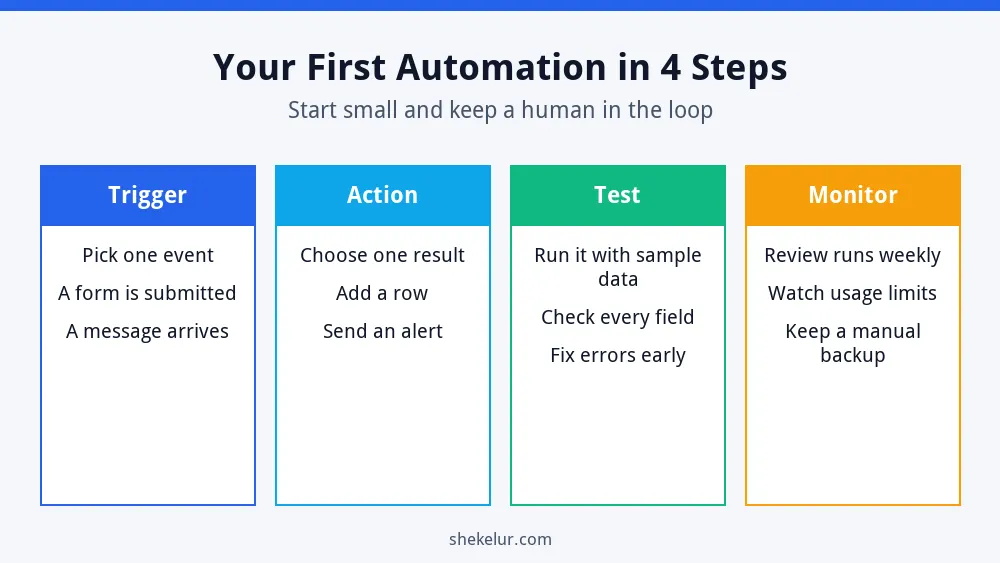
- Trigger: choose one event, such as a new form submission.
- Action: choose one result, such as adding a row to a spreadsheet.
- Test: run it with sample data and check every field.
- Monitor: review the runs weekly and keep a manual backup.
For apps that keep your tasks and notes organized, see my list of the best productivity apps and my ChatGPT guide for beginners.
Safety Rules for AI Automation
- Keep a person in charge of anything customers will read.
- Do not send private customer data to tools you have not reviewed.
- Check the privacy settings and data terms of every app you connect.
- Protect accounts with strong passwords and two-factor authentication.
- Start with low-risk tasks and add more only after testing.
- Watch your usage limits so important workflows do not stop.
Common Mistakes
- Automating a messy process instead of fixing it first.
- Building complex flows before testing a simple one.
- Letting AI send replies without review.
- Ignoring task or credit limits.
- Self-hosting without a backup plan.
Final Thoughts on AI Automation Tools for Small Businesses
The right AI automation tools for small businesses are the ones that remove a real chore without adding risk. Pick one task, choose one tool, test carefully and review the results every week. Then add the next automation.
Your Next Step: Automate One Task
Write down one task you repeat every week and sketch its trigger and action. If you would rather hand off the setup, you can compare independent automation specialists on Fiverr. Read their reviews, check examples of past workflows and be clear about what data the tool will access.
Frequently Asked Questions
What Is the Best Automation Tool for a Beginner?
Zapier is often the easiest first step, while Make suits visual thinkers who want more control. Try the free plans before you pay.
Is n8n Really Free?
The self-hosted Community Edition has no license fee, but you pay for the server and your own time. n8n Cloud is a paid service.
Can AI Handle Customer Emails Automatically?
It can draft replies, but you should review messages before they are sent, especially for complaints, refunds or sensitive topics.
How Much Does Automation Cost?
You can start free, but costs grow with volume. Check task or credit limits and any server costs before you commit.
What Should I Automate First?
Start with a simple, low-risk task such as saving form entries or sending a welcome email.
